
Seventy-three percent of independent salon owners who expand to a second location report booking chaos within the first 90 days — double-booked stylists, mismatched schedules, and reception staff toggling between three different apps just to confirm a blowout. If that sounds painfully familiar, you’re not alone, and you’re definitely not stuck with it.
Ready to get started? VibeReserve Booking Pro →
Running a single salon is hard enough. The moment you open a second chair across town — or a third in the next city over — the operational cracks show up fast. Most salon owners I talk to figured out how to manage multiple salon locations WordPress users can actually trust only after burning through two or three plugins that charged extra per branch. Below, I’ll walk you through what actually works in 2026, what to look for in a multi-location booking system, and how to keep your staff, services, and schedules organized without paying a tax for every new location.
Why Most WordPress Salon Plugins Fall Apart at Two Locations
Here’s the uncomfortable truth: roughly 8 out of 10 salon booking plugins were built for one-shop operators. They bolt on “multi-location” as an afterthought — usually behind a per-location paywall that quietly doubles your subscription every time you sign a new lease.
I’ve seen owners pay $49/month for their first salon, then get hit with another $49 for each additional branch. By the time you’re at four locations, you’re spending nearly $200 a month just to let clients book a haircut. That’s not a tool — that’s a tax.
The other problem? Data silos. Plenty of plugins technically support multiple locations but treat each one like a separate website (and this is the part most owners don’t catch until month three). Your Midtown stylist’s schedule doesn’t talk to your Downtown receptionist’s dashboard. Reports come fragmented. Client histories disappear when someone books at a different branch.
You shouldn’t have to log into four admin panels to run four salons.
What a Real Multi-Location Salon Setup Looks Like
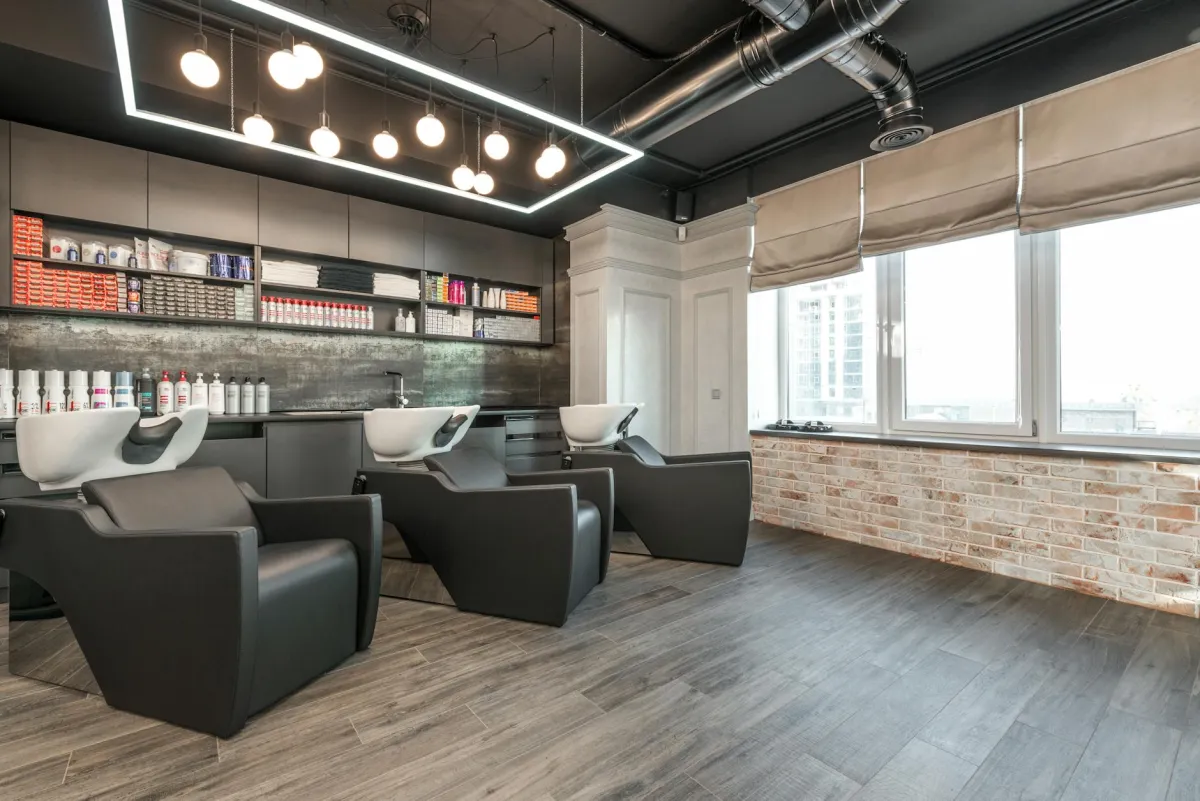
A proper multi-branch salon system on WordPress should give you one install, one dashboard, and unlimited everything underneath it. That means:
- Unlimited locations — add a fifth, tenth, or twentieth branch without unlocking a new pricing tier
- Separate staff rosters per location — your Brooklyn colorist isn’t accidentally booked in Queens
- Location-specific services and pricing — because a balayage in Manhattan costs more than one in Tulsa, and that’s fine
- Independent schedules and holiday hours per branch
- One unified client database so a regular who travels between cities sees their full history
- Built-in payments — no WooCommerce dependency, no extra checkout plugin
- Centralized reporting with the ability to filter by branch
If your current tool can’t check every one of those boxes, you’re going to outgrow it before your next lease renewal.
How to Manage Multiple Salon Locations WordPress Owners Will Actually Stick With
Let’s get practical. Setting up a true multi-branch salon on WordPress takes maybe an afternoon if you pick the right plugin. Here’s the order I recommend:
- Map out your locations first. Write down each branch, its address, its operating hours, and any holiday closures that differ. Sounds basic — most owners skip it and regret it.
- List staff per location. Some stylists work across two branches. Note that. Your plugin should allow staff to be assigned to multiple locations with different schedules at each.
- Build your service menu per branch. Maybe your flagship offers Japanese head spa treatments but your suburban location doesn’t. Set services at the location level, not globally.
- Set up payments once. Connect Stripe or your preferred processor at the plugin level so deposits and prepayments flow correctly regardless of which branch took the booking.
- Test a booking from a customer’s perspective. Pick a location, pick a stylist, pick a service, pay the deposit. Then check that it lands in the right calendar.
That last step is where most setups fail. Test it before you announce the new location on Instagram.
A Monday Morning at a Growing Salon Chain
Picture this: it’s 8:47 AM on a Monday in March. You own three salons. Your phone buzzes with a text from your Downtown manager saying their lead colorist called in sick. Forty-two appointments are on her book this week.
In the old world, you’d be calling around to other locations, asking who has availability, manually moving clients, hoping nobody gets double-booked, and probably refunding a few angry regulars by Wednesday.
In the new world — one dashboard, one filter — you reassign her Tuesday and Wednesday clients to a colorist at your Midtown branch who has open slots, auto-text those clients the new address with a one-tap reschedule link, and refund anyone who can’t make the trip. Fifteen minutes, tops.
That’s the difference centralized control makes.
Why VibeReserve Booking Pro Is My Pick for Salon Chains in 2026
I’ll be opinionated here: most of the popular WordPress booking plugins are either limited at the multi-location level or shamelessly priced per branch. After testing what’s available this year, the standout for growing salon chains is VibeReserve Booking Pro.
A few reasons it earns the spot. It’s a standalone plugin — you don’t need WooCommerce, you don’t need a separate payment gateway plugin, and you don’t need to wire together three tools to get deposits working. Payment processing is built in.
Unlimited staff, unlimited locations, unlimited branches — all on one license. Whether you’re running two salons or twenty, the price doesn’t change. Each branch gets its own staff roster, its own service menu, its own hours, and its own calendar, but you manage everything from a single WordPress dashboard.
Compare that with plugins charging $20-$50 per additional location per month, and the math gets ridiculous fast. At five locations, you’re saving thousands a year just on plugin fees — money better spent on a new dryer or signing bonus for that colorist you’ve been trying to poach.
In my experience, the salons that scale cleanly are the ones that pick infrastructure designed for growth from day one, not the cheapest option for their first shop. If you’re still weighing options, this WordPress Appointment Booking Plugin comparison is worth a read before you commit.
Build for the chain you want, not the shop you have.
The Operational Habits That Separate Growing Chains From Stuck Ones
Tools only get you halfway. The rest is execution.
The owners who scale successfully share a few habits. They review booking data weekly — not monthly — so they catch utilization dips before they become revenue problems. They build standard service durations across branches so a 60-minute cut means the same thing in every location. They train every receptionist on the same booking flow so the customer experience feels identical whether you walk into the flagship or the strip-mall location.
And they automate ruthlessly. Confirmation texts, reminder emails, post-visit review requests — all of it should run without anyone touching it (trust me on this one, the moment you rely on a human to send reminders, no-shows climb). If chronic cancellations are eating into your revenue, here’s a deeper guide on How to Reduce No-Shows across multiple branches.
Pick your stack once. Train your team well. Then let the system do the boring work.
FAQ
Can I run multiple salon brands from one WordPress install?
Yes, though it depends on the plugin. With a flexible multi-location booking tool, you can run different brand names, logos, and service menus per location while keeping one backend. If the brands are wildly different in customer experience, some owners prefer separate WordPress sites — but for most salon groups under the same parent company, one install is cleaner and cheaper.
Do I need WooCommerce to take deposits at multiple salon locations?
Not necessarily. Some booking plugins require WooCommerce as a payment layer, which adds complexity and another point of failure. Others — VibeReserve Booking Pro included — handle payments natively through Stripe or similar processors. Skipping the WooCommerce dependency means fewer plugins to update, fewer conflicts, and a faster checkout for clients booking on mobile. If you’d still like to explore that route, this WooCommerce Booking Plugin Free: breakdown covers the trade-offs.
How do I handle stylists who work at more than one location?
Your booking plugin should let you assign a single staff member to multiple branches, each with its own schedule. So your senior stylist might work Tuesday-Thursday at the flagship and Friday-Saturday at the second location. Clients see the right availability based on which branch they’re booking at, and your stylist sees one combined calendar.
What’s the biggest mistake salon owners make when adding a second location?
Treating it as a copy-paste of the first. They use the same staff schedules, same service durations, same pricing — without testing whether the new neighborhood actually wants those things. Set up your second location as its own entity in your booking system from day one. Track its performance separately. Adjust quickly. For smaller second branches, an Online Booking System for small salons can be a smarter starting point than overbuilt enterprise tools.
How much should I budget for a multi-location WordPress booking system?
For a quality standalone plugin with unlimited locations, expect a one-time or annual license in the $100-$300 range. Avoid anything that charges per location — those costs balloon as you grow. Factor in payment processing fees (typically 2.9% + $0.30 per transaction) and roughly $20-$50/month for hosting that can handle real booking traffic.
Bringing It All Together
Knowing how to manage multiple salon locations WordPress-style isn’t about finding a magic plugin — it’s about picking infrastructure that grows with you instead of punishing you for growing. Unlimited locations, separate staff per branch, built-in payments, one dashboard. Get those right, and your fifth salon will feel almost as simple to run as your first did.